
Supporting the Remo Community
Context
Being able to access guidance and support regardless of your patient status was important to Remo, and one way we offered this was via our Community forum. Caregivers and patients could post there and expect a reply from one of our care team members.
As this Community would eventually scale, so did our need to evolve our existing way of responding to posts. The MVP workflow had our team logging in and replying like any other user, so we set out to improve this experience with a bespoke system to help them manage and write replies. After a quick turnaround, we launched our new Care Experts tool, setting the groundwork for future scale.
Problem
The workflow was not scalable
Clunky navigation and working across multiple tools would only get harder as posts increased
Delineation of replies was strained
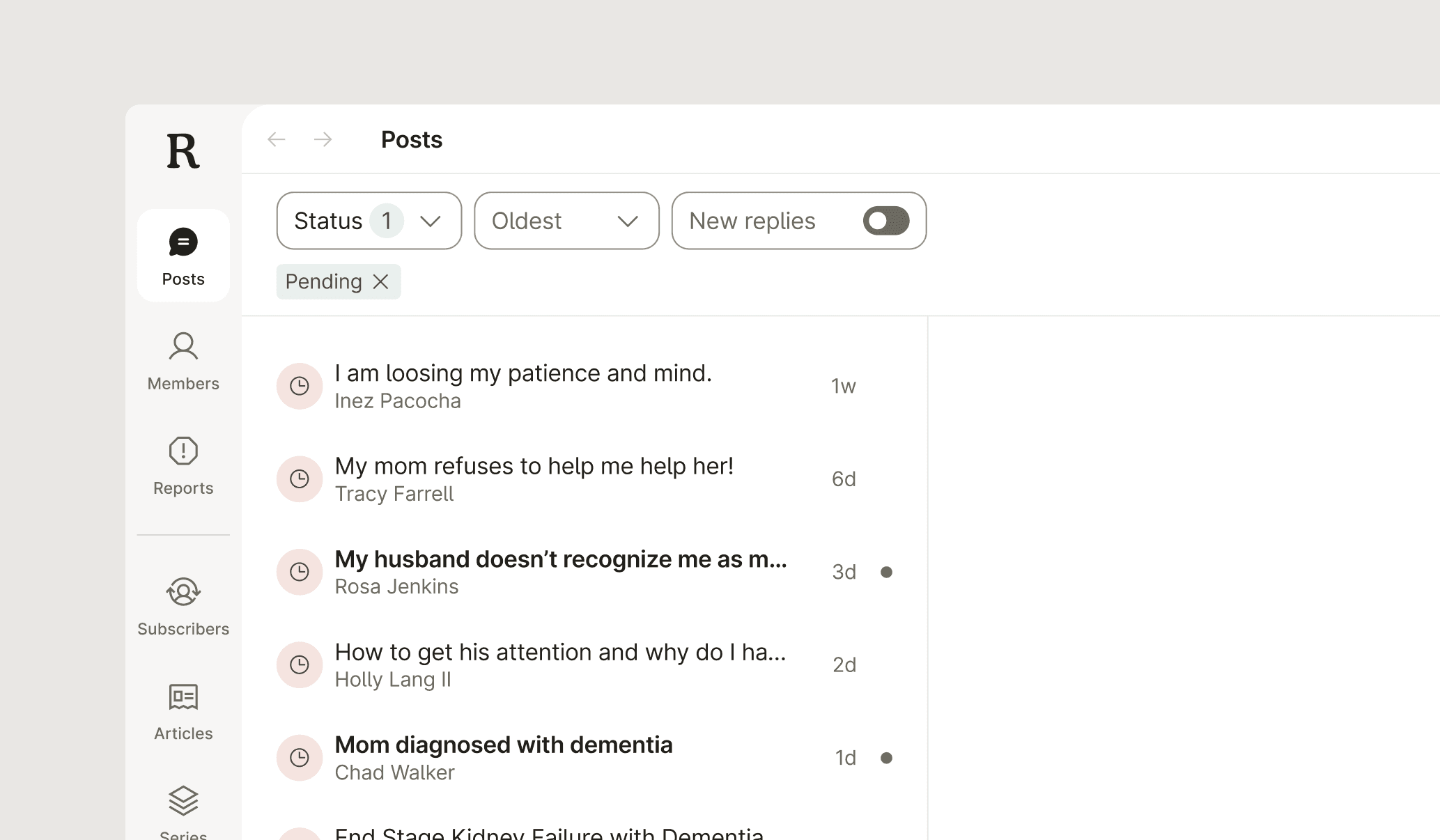
The team struggled to easily identify which posts had replies or drafts being actively worked on
Slow creation vs. fast curation
Writing each response from scratch was slow, and mentally draining for our team
Process before
Challenges
A quick 2 week turnaround
We had to move fast. This project was running alongside other high-priority work, so we had to make sure our focus was on our team's most pressing needs.
Information density was high
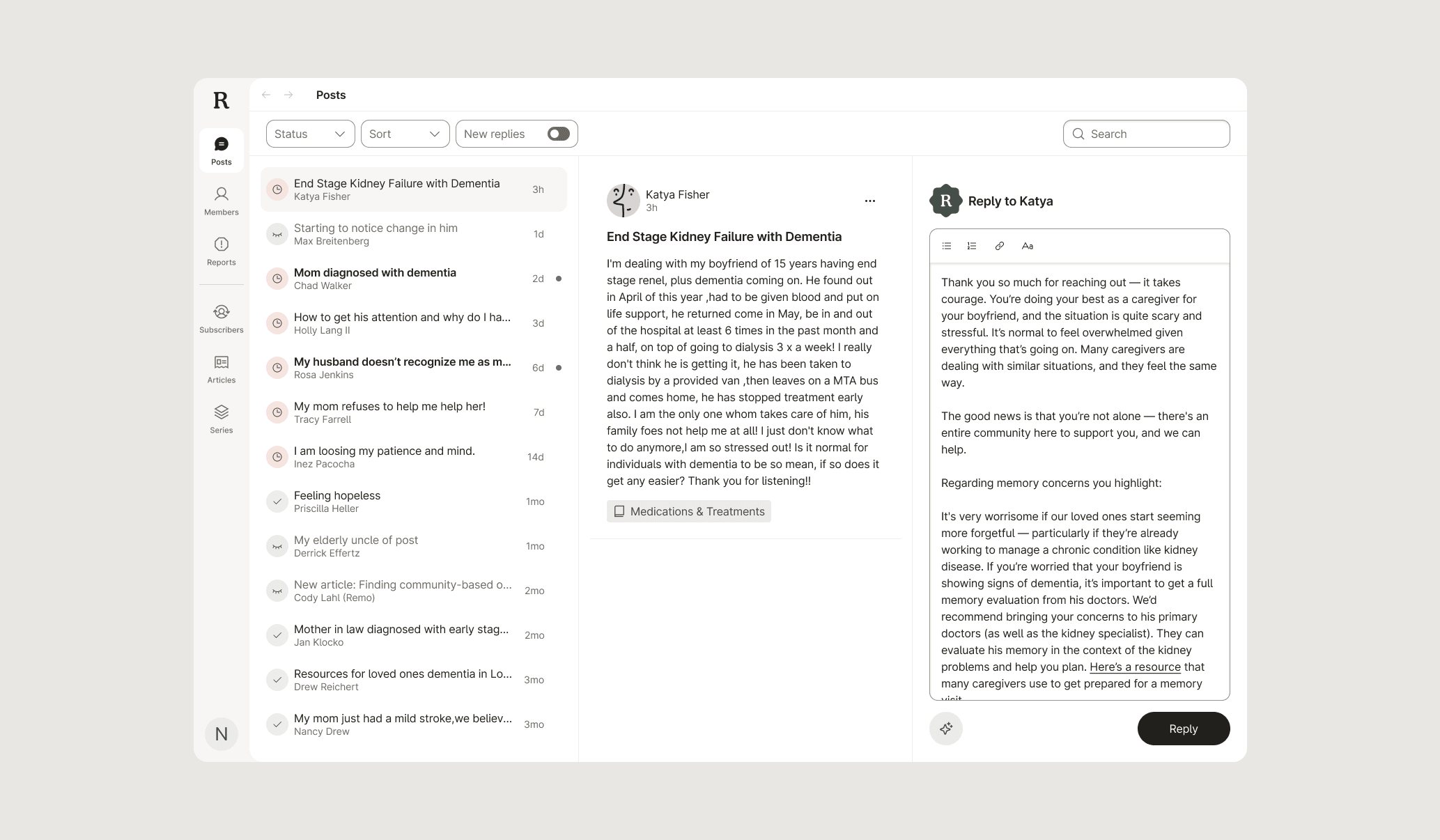
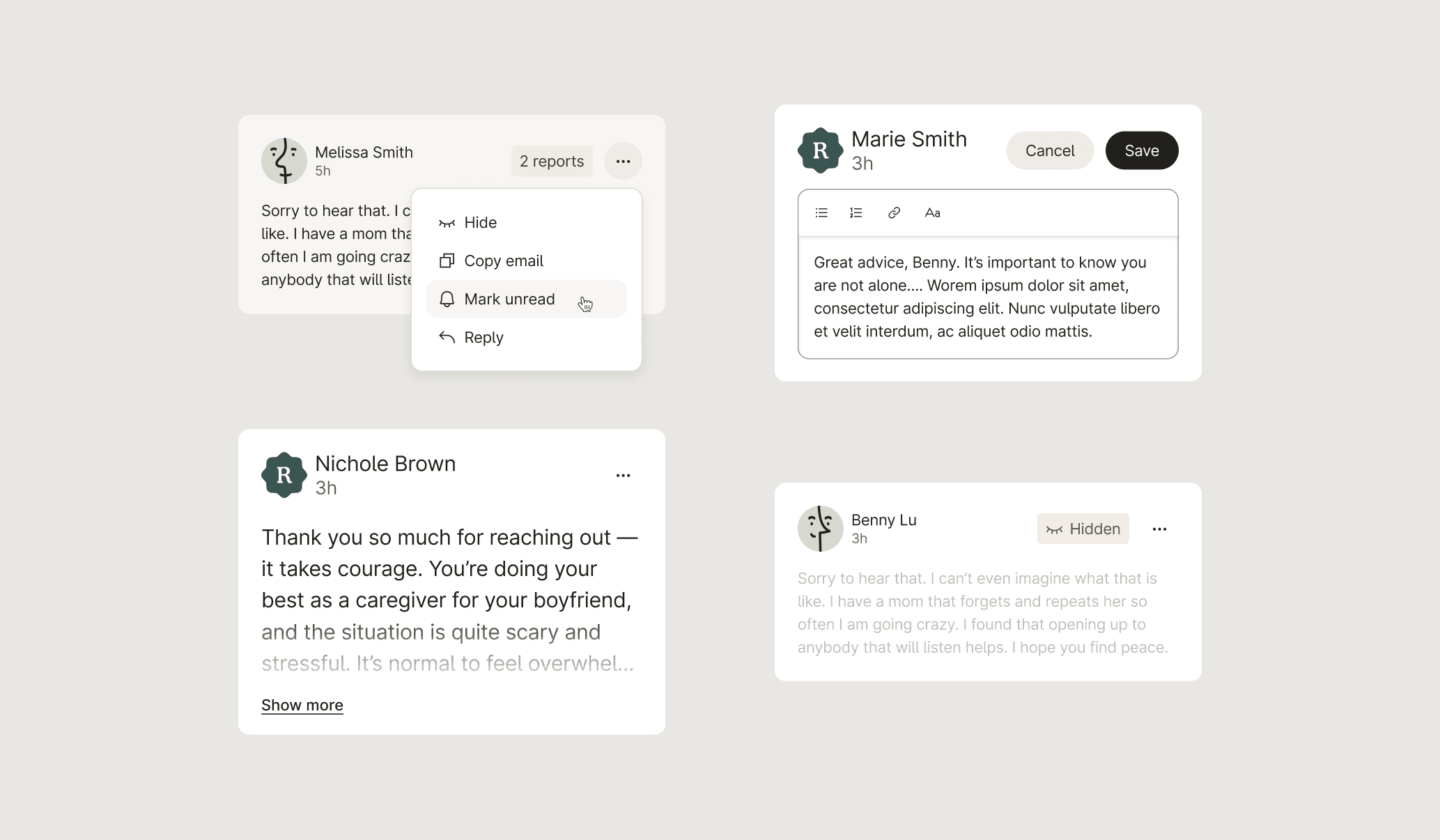
There was a lot of data we needed to pack into a single view. Writing a reply, seeing the message, and being able to move between posts easily without navigating back and forth across pages was important. We needed to show what was most crucial to the team's workflow. In the end, we used icons, color, and typography to communicate complex elements without overwhelming the user.
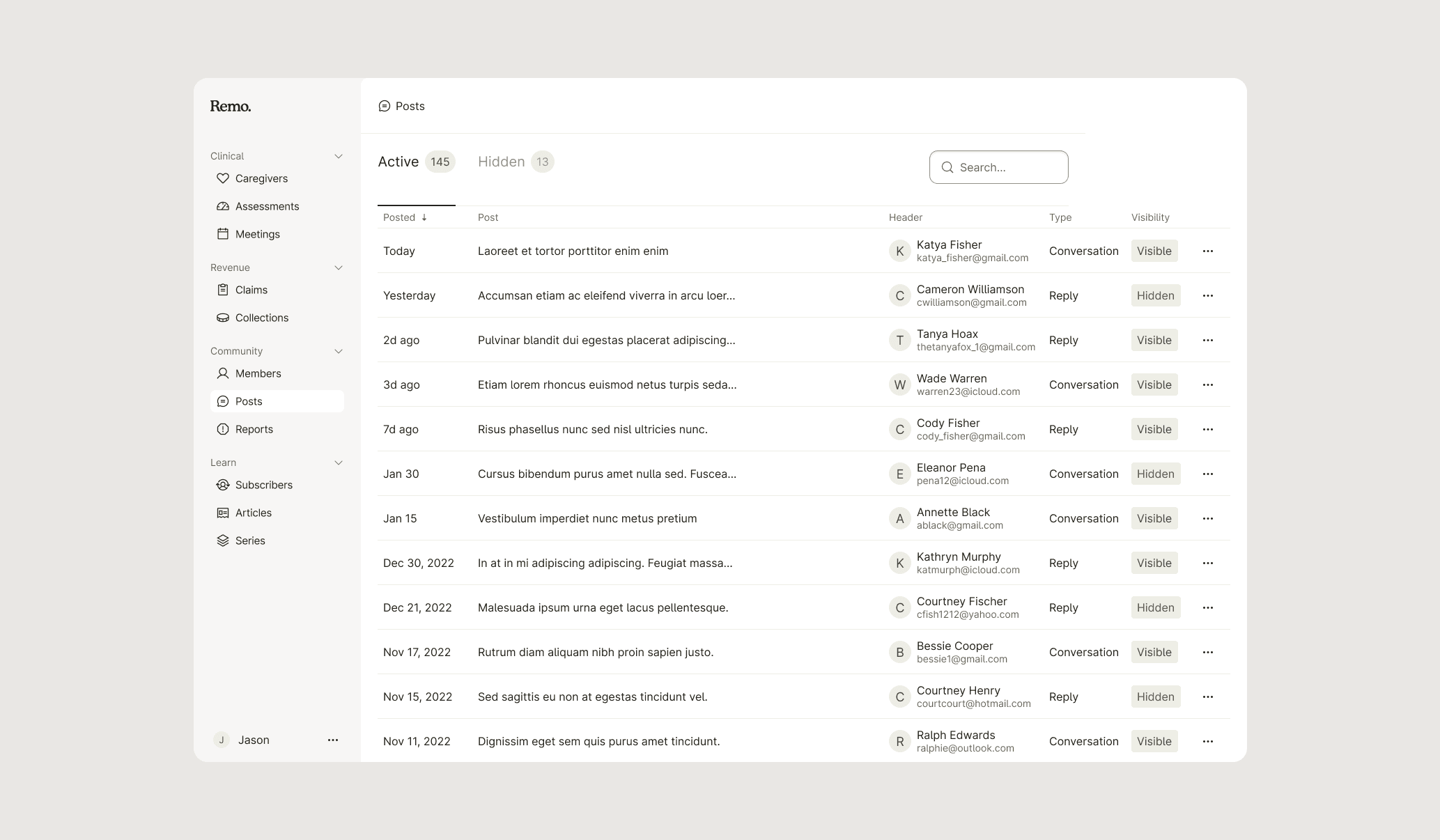
Early exploration
Process
After an ad-hoc round of research and initial exploration and iteration I worked closely alongside an engineer to launch this feature.
Lightweight research methods
Research wasn't in the original plan, but I knew we couldn't start design without talking to the Care Team first. I put together a quick interview script to get a real sense of their daily workflow and the things that were slowing them down. Doing that early on didn't just help us fix today’s problems—it gave us a solid foundation for how to improve the product down the road.
Don't reinvent the wheel
Given the tight-turnaround of this project, my initial exploration involved identifying familiar patterns and pulling from existing experiences. Email inboxes became an immediate framework we could pull from: the multi-panel view to cross-reference details, indicating what was "read" and "unread", as well as how to manage filtering and smaller microdata across the UI. We didn't have time to go super wide with exploration, so leaning on patterns helped us hone in on a solution fast.
Results
The results were clear: our small team would now be able to handle a much larger volume of posts. In addition, the foundation was laid for AI to support and lighten the mental load required to provide thoughtful and empathetic support to our users. Ultimately, the streamlined workflow makes it easier for our team to make a positive impact on the lives of our caregivers and patients.
© 2026