
Reimagining medical note taking for Remo
Context
One of the most integral aspects of Remo's virtual medical care is the appointment between caregivers, patients, and their doctors. For these to be successful, several things must be true:
Doctors must be able to communicate clearly with the patient
The patient must feel supported and heard
Notes must be captured for future care planning and billing
While serving our first cohort of patients, we recognized a gap in the V1 of our note-taking feature, and set out to create the frictionless, flexible experience our medical team needed and deserved.
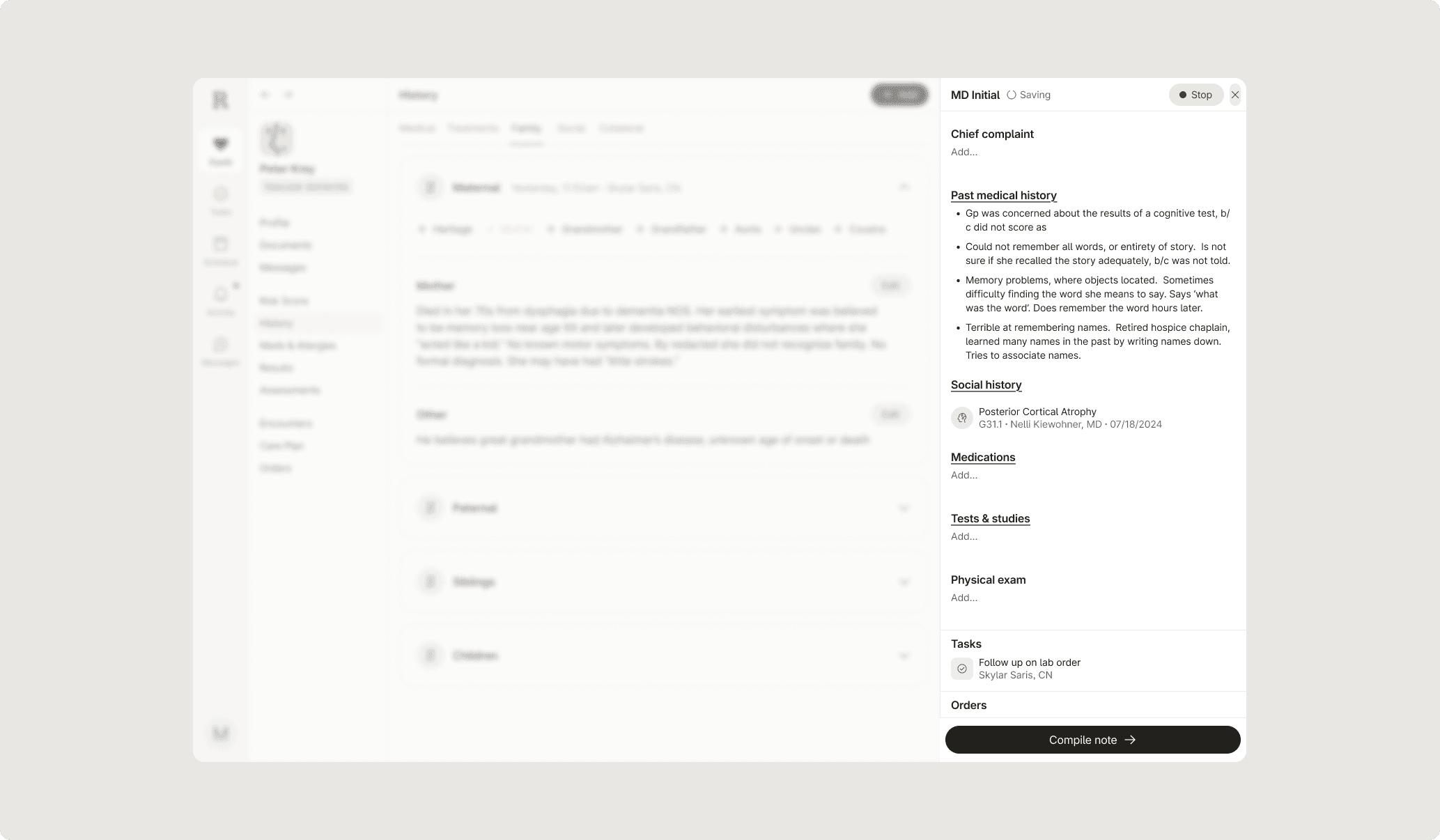
Final prototype built with Claude Code on VS Code
Problem
Multitasking is hard
Asking doctors to connect with patients, take clear notes, and check a patient's chart takes a big toll on distraction levels and time to complete a visit
Trust for our V1 tool was low
A buggy experience and difficult to navigate UI resulted in doctors seeking out alternative tools, resulting in an unused platform and increased time spent transferring notes
Unsustainable time spent on notes
The bulky workflow meant our doctors wouldn't be able to keep up as patient numbers increased
V1 required significant amounts of clicking and navigating
Challenges
No two medical professionals work the same way — neurologists, nurses, and pharmacists all have their own approach. Knowing this, while also considering all the different appointment note types required for billing, meant that there was no "one-size-fits-all" fix. Instead, we focused on building a flexible experience that considered the team's unique habits and real-world processes. We also made sure to define and align on what these new features could support the team vs where the clinical team-processes needed to step in.
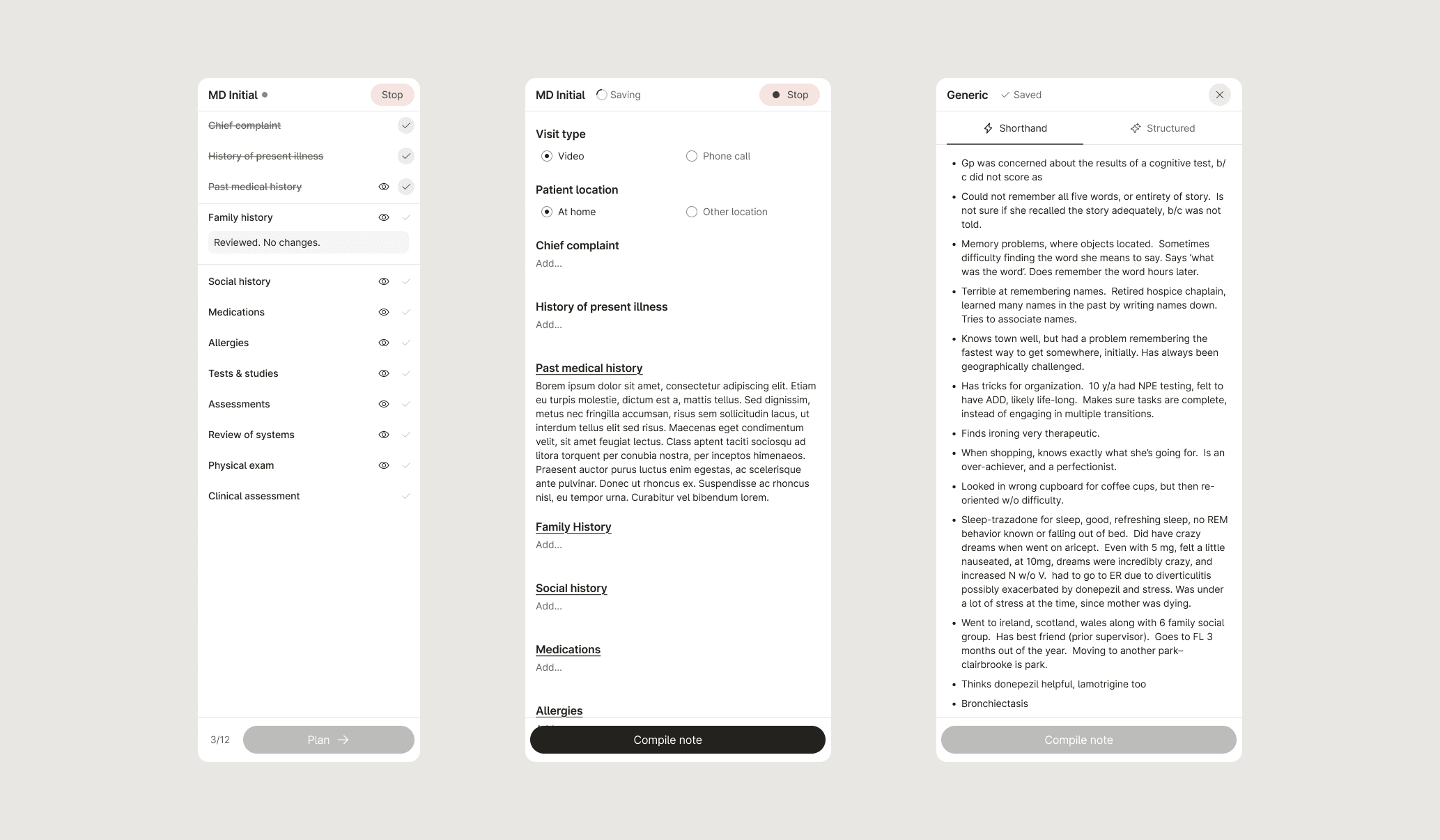
Explorations of the sidebar
Process
We followed our usual high-level process of design: UXR, ideate, review and test, ideate some more, and ship. However, we knew we had to move quickly given the importance of this feature to our medical team.
Moving fast with Claude Code
We realized that keyboard controls and shortcuts worked way better than clicking through endless menus. It kept our doctors focused on their patients instead of their screens. To test this, we used Claude in VS Code to whip up some prototypes and shared them on GitHub. It was a game-changer — we could feel out the interactions immediately and catch any issues before our engineers started building.
A new way to collaborate
Because the prototype was built out in code, we were able to gather feedback from our medical team in a more real-time way, and work with engineers quickly to get to our final solution. This was such a fun and exciting moment for Remo, and personally made me look forward to how to further integrate these tools into my workflow.
Teaching the ropes of product
During UXR, I steered the team to focus on what they actually need rather than just jumping to features. Since many of my teammates were new to product design, I helped them learn the ropes so we could all speak the same language. This made working together much easier and helped us build a better product, faster.
Initial Claude Code prototype shared with the team
Results
In the end, we turned a stressful process into one that actually feels reliable. By adding auto-save, we took away the constant worry of losing critical patient info. We introduced keyboard controls, shortcut menus for common text, and expandable note areas to get rid of all that cramped scrolling and clicking. It’s a much smoother experience that cuts out the busywork, so our providers can stay focused on the patient while keeping their records fast and accurate.
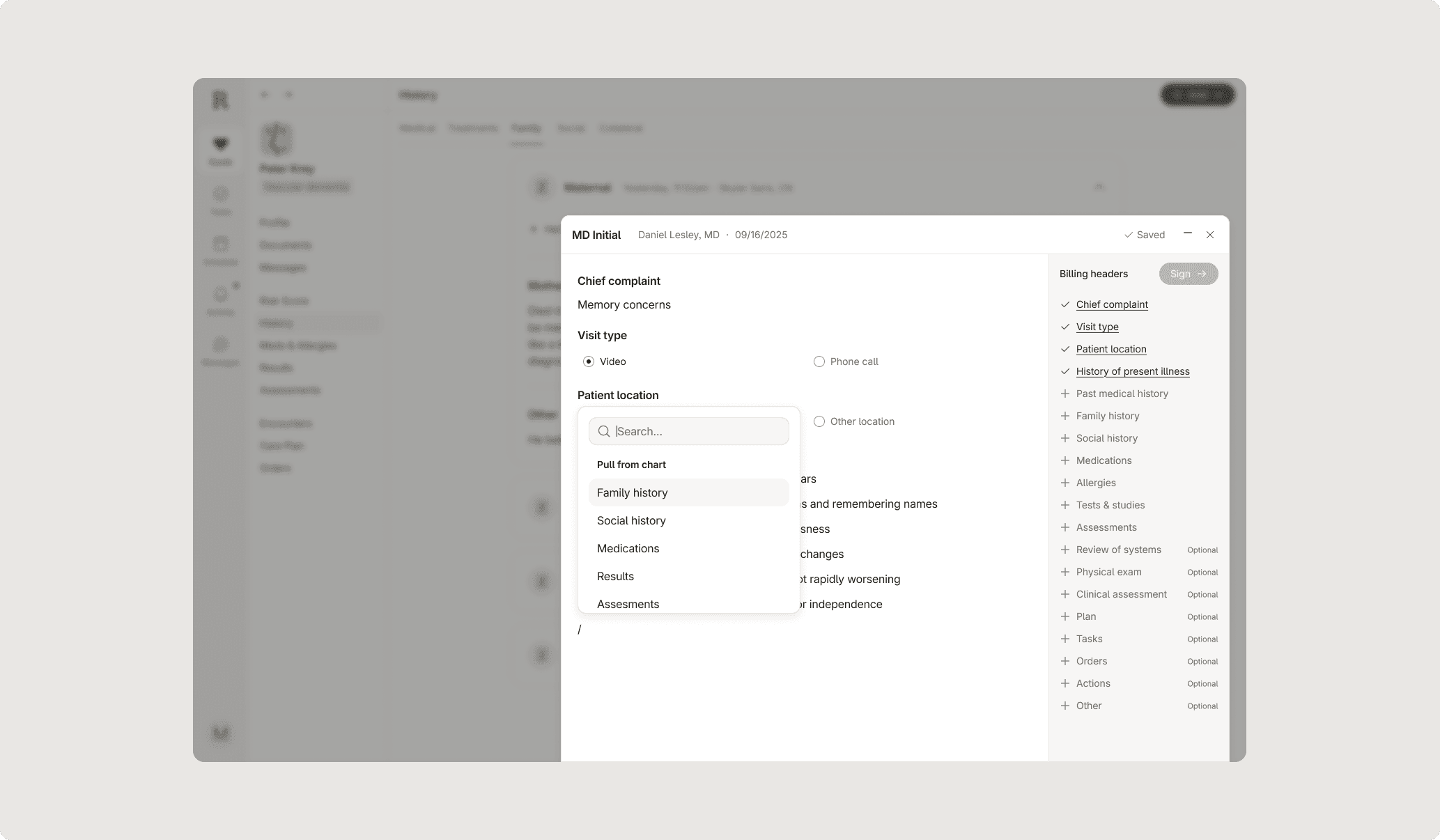
Future state iteration: blurring the line between chart and note
© 2026